
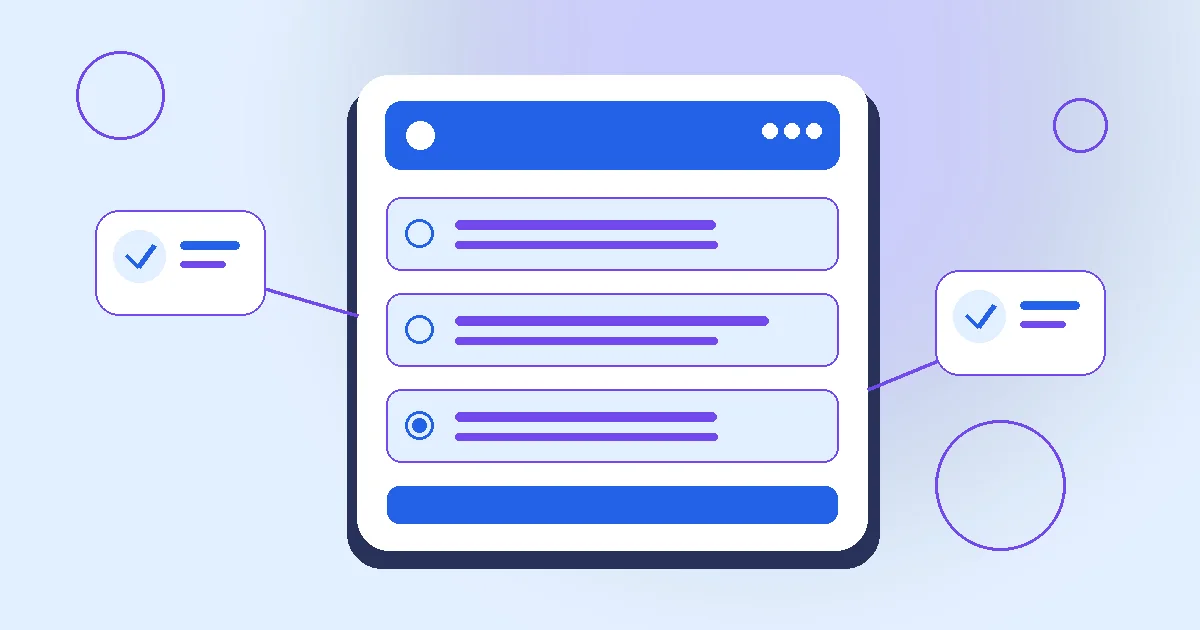
To compare headphones with a shared shortlist, begin with the actual decision rather than the response counter. A headphone shortlist should start with the intended use. Travel, calls and listening at a desk can make different features important even when products share a similar label.
The situation is straightforward: friends choose between three headphone models. The difficult part is deciding what a response can reasonably establish. This guide works through that decision, the checks to make before inviting people, and the handover after the response window. The central boundary is that a vote does not validate a price or create a group order.
- A vote does not validate a price or create a group order.
- Check the manufacturer's specifications and the seller's current offer.
- Let each buyer approve a purchase separately.
What to establish before asking for responses
Compare the exact models using manufacturer information and the seller's current terms. A remembered promotional price is not a verified offer.
Use this as the readiness test: check the manufacturer's specifications and the seller's current offer. Record the answer in terms a participant can understand. If the check is unfinished, say what is still unknown and who is finding out. An unanswered practical question should remain visible instead of being concealed by a polished invitation or an encouraging response count.
The boundary that changes this decision
Keep the response about preference. It does not reserve stock, collect money or create a genuine group discount.
Keep the statement “a vote does not validate a price or create a group order” beside the request, where it can influence the decision. Placing it only in a later explanation is too late for someone who has already acted on a different assumption. A useful review asks whether the wording still describes the real arrangement when read outside the original conversation.
Turn the result into a usable next step
Before anyone buys, recheck the actual basket, compatibility and return arrangement. A popular option can still be unsuitable for the person who will use it.
The follow-through here is to let each buyer approve a purchase separately. Name the person who will do that and distinguish it from what the action itself records. If new information makes that step inappropriate, explain the change first. Participants should not have to infer a final commitment from a preferred option, a completion mark or a progress display.
- CheckCheck the manufacturer's specifications and the seller's current offer.
- Keep visibleA vote does not validate a price or create a group order.
- Follow throughLet each buyer approve a purchase separately.
A decision record you can adapt
For the case where friends choose between three headphone models, a short decision record keeps the facts separate from the response result. The entries below are a planning template, not a claim that any checks have already been completed. Replace unresolved entries with checked information before making the corresponding commitment.
| Record | What belongs here |
|---|---|
| Purpose | Friends choose between three headphone models. |
| Boundary | A vote does not validate a price or create a group order. |
| Readiness check | Check the manufacturer's specifications and the seller's current offer. |
| Open point | The named person, source and date for any information still being checked. |
| Handover | Let each buyer approve a purchase separately. |
Set up the action around the actual task
- Open Create and choose the product decision template. Enter comparable options and a clean relevant product link; this is the information the response format can represent.
- Give the request a specific title, such as “Compare headphones with a shared shortlist”. Explain that friends choose between three headphone models, so a person opening the link has enough context.
- Write the boundary in ordinary language: a vote does not validate a price or create a group order. Remove any option or instruction that depends on pretending this limit does not apply.
- Before sending the invitation, check the manufacturer's specifications and the seller's current offer. Share only the non-sensitive outcome of the check, rather than the private material used to establish it.
- Choose the audience and response deadline. Ask people to express a product preference, and explain when the organizer will review the saved state.
- After reviewing the current result, let each buyer approve a purchase separately. Close or archive the action when further responses would no longer inform that step.
Fields to review for this format
- Use case: Describe the job the product must do and distinguish hard requirements from preferences.
- Evidence: Check the exact model and the actual seller terms; label missing information instead of guessing.
- Comparison: Use the same criteria for each candidate, including necessary accessories and confirmed ongoing costs.
- Authority: A preference does not reserve stock, collect payment, create a discount or approve a purchase.
- Final check: Have the real buyer review the final offer and approve the actual checkout separately.
Work through an example before sharing
Consider an illustrative rehearsal in which friends choose between three headphone models. Nothing in this example is a customer story or evidence that a real arrangement has been approved. First, draft the invitation. Then ask a reviewer to explain what they think participation would mean. Compare their interpretation with this boundary: a vote does not validate a price or create a group order. A mismatch is a reason to revise the request before collecting responses.
Next, rehearse the practical check: check the manufacturer's specifications and the seller's current offer. Suppose that check is unresolved when the response window ends. The correct handover should identify what remains unknown, rather than announce that the whole arrangement is settled. If the check is satisfactory, the organizer can proceed to let each buyer approve a purchase separately. In either branch, the response result and the external confirmation remain separate pieces of information.
The headphone shortlist compares different use cases
One model favors travel and another favors desk calls, so a simple popularity vote hides the real requirement. Agree the intended job before comparing specifications and comfort. An entered price is context, not a verified current offer.
The evidence and handover for this exception
| Decision point | Case-specific review |
|---|---|
| Verify | Check exact models, required connection type, return route and the current seller terms. |
| Communicate | Let the actual buyer review the final basket and keep preferences separate from purchase approval. |
For this exception, return to the original purpose: friends choose between three headphone models. Compare the changed information with what participants actually saw when answering. The appropriate response is determined by the practical difference, not by a desire to preserve a neat response total. In particular, a vote does not validate a price or create a group order. If that boundary is still unresolved, state the remaining question before asking anyone to act on the result.
Use the controls that fit this particular request
In the case where friends choose between three headphone models, the platform should preserve the meaning of the request while making its next step easier to carry out. Review these linked product controls before you let each buyer approve a purchase separately. Each link explains the current interface and the limits that apply; it does not establish that an outside organization has approved this example.
- Keep preference, actual offer and purchase authority as separate checks.
- Exclude private order information and account-specific URLs from broadly shared pages.
- Use the real merchant for purchase problems and platform support for interface errors.
Choose the audience with care
The fact that friends choose between three headphone models does not mean every detail belongs in public discovery. A public action can be found by other visitors. An unlisted action stays out of Explore, but recipients can forward its URL. A private workspace action requires membership; use that control when a team needs restricted access, and still collect only information the task needs.
Questions that determine whether to proceed
What is the first useful check?
The immediate check is to check the manufacturer's specifications and the seller's current offer. Look for a current answer from the relevant person or source, not a guess inferred from the saved responses. If the answer is missing, describe the uncertainty and pause only the commitment that depends on it. People can still discuss the proposal while understanding that it is provisional.
What would make the response misleading?
The result becomes misleading if it obscures the fact that a vote does not validate a price or create a group order. A response should be described in the terms the participant saw when submitting it. Do not silently reinterpret an earlier choice as consent to a different purpose, amount, time or arrangement. Material changes need an explanation and, where relevant, a fresh decision.
How should a changed response be handled?
Review the latest saved state before you let each buyer approve a purchase separately. While an action remains open, participants can update their response using the same identity. A change is useful information rather than evidence of bad intent. If the group has already taken an external step, discuss what can actually be revisited instead of implying that a response edit reverses it.
What should the organizer say at the end?
A useful closing message states what was recorded, what remains unresolved and who owns the next step. Here the practical handover is to let each buyer approve a purchase separately. Avoid claiming unanimous agreement when some people did not respond, and avoid describing a completed screen as proof that an event, purchase, payment or other outside activity has happened.
When is a different process more appropriate?
Use another process if the situation requires controls beyond this product decision: verified identity, legally binding approval, confidential records, regulated assessment or real financial handling, for example. Start with the actual boundary that a vote does not validate a price or create a group order. The action can organize an ordinary conversation, but a clearer label cannot supply infrastructure or authority it does not have.
An invitation draft for this exact situation
The following is an illustrative starting draft for “Compare headphones with a shared shortlist”, not an announcement that the practical checks are complete. Adapt it to the actual audience, response window and verified arrangement before sharing. In particular, remove any statement you cannot honestly make and keep sensitive details in an appropriate private channel.
We are coordinating a situation in which friends choose between three headphone models. This action records interest in an option, without authorizing a purchase. Please read the context and express a product preference using the choices or fields shown on the page. One boundary matters throughout: a vote does not validate a price or create a group order. Before the group acts on the result, the responsible organizer will check the manufacturer's specifications and the seller's current offer. After reviewing current saved responses, the next step is to let each buyer approve a purchase separately. If a practical constraint is missing, raise it through the appropriate route before anyone assumes the arrangement is final. Do not post passwords, payment details or unnecessary personal information. Please review the exact option and any unresolved requirement rather than treating an entered price as a guaranteed current offer. The real buyer still needs to check stock, complete cost, seller terms and purchase authority. This preference does not reserve an item, apply a discount, charge participants or place an order through the platform.
Read the draft from the recipient’s perspective: can they tell what they are answering, what remains tentative and who owns the follow-through? Compare it with the exception “the headphone shortlist compares different use cases” discussed above. If that exception would make the invitation misleading, revise the request before collecting another response. A reusable pattern is useful only when its statements still fit the current situation; copying polished wording does not complete the underlying check.
References for checking the wider principles
The practical check in this guide is to check the manufacturer's specifications and the seller's current offer. The references below provide wider guidance on the communication, access, privacy or consumer principles behind that review. They do not verify the hypothetical arrangement or endorse Onact. Read the current source and any organizational or local rules before relying on a specific claim.
Explore the complete topic cluster
- Choose a projector for a community room
- Compare a new and a refurbished laptop
- Evaluate a shared kitchen appliance
- Choose a camera for a small club
- Compare portable speakers for an event
- Decide whether to buy or borrow equipment
- Shortlist a monitor for a shared desk
- Compare camping equipment without safety claims
- Choose a printer for a volunteer group
- Compare software subscriptions for a club
- Evaluate a second-hand bicycle listing
- Choose a gift without exposing the recipient
- Compare accessible input devices
- Check a product offer before sharing it
- Write a product comparison with balanced criteria
- Separate a wish list from a purchase commitment
- Handle a product that goes out of stock
- Compare a device's complete ownership cost
- Choose shared storage equipment
- Review product sustainability claims carefully
- Compare warranties and returns before voting
- Choose event supplies without fake group discounts
- Avoid sharing tracking links in product actions
- Close a product decision with an honest summary
- Record interest in a shared celebration budget
Put the checked plan into one clear request.
Use the product decision format when its response model fits this situation. Before sharing, check the manufacturer's specifications and the seller's current offer; after reviewing the saved result, let each buyer approve a purchase separately.


